

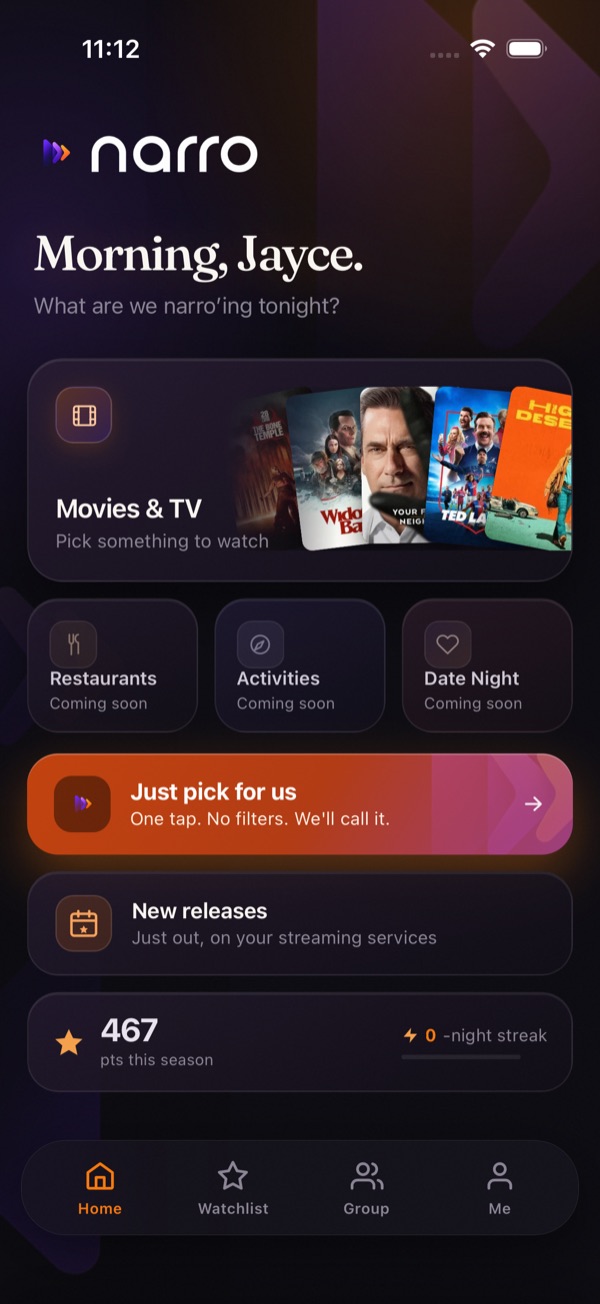
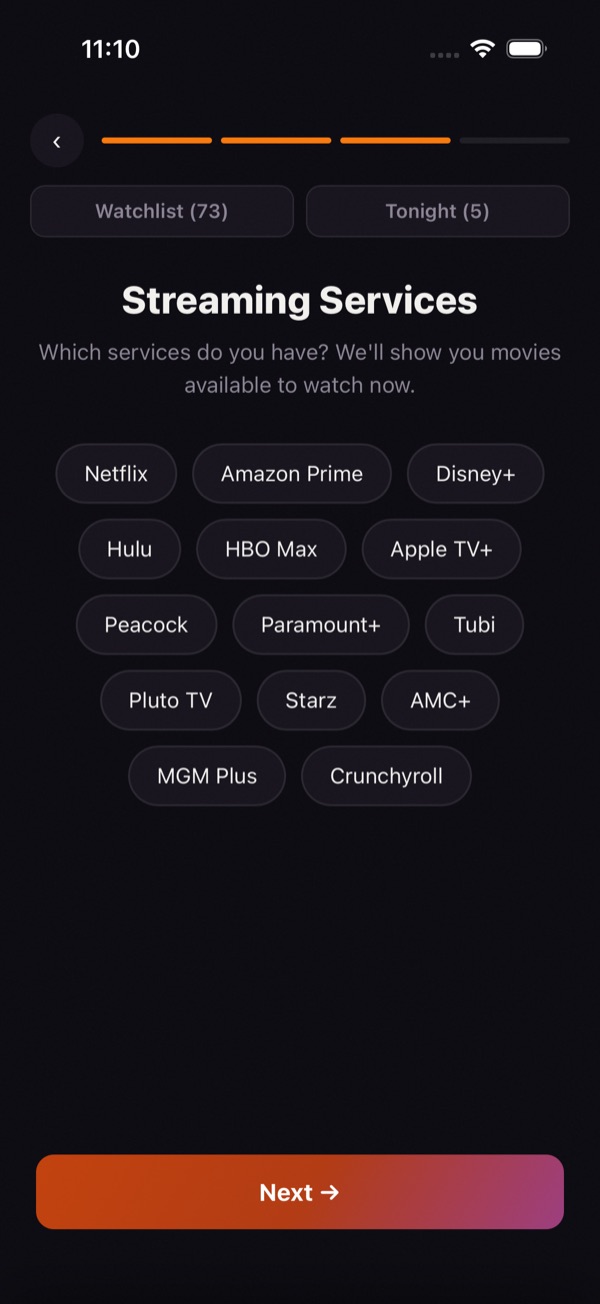
Tell it what you have
Pick your streaming services. narro only shows what you can actually watch tonight.
No more scrolling for an hour. Tell narro what you’ve got, swipe through movies and shows, and narrow it down to one. Together.
Free · iPhone only for now · No account needed
How it works
Pick your streaming services. narro only shows what you can actually watch tonight.
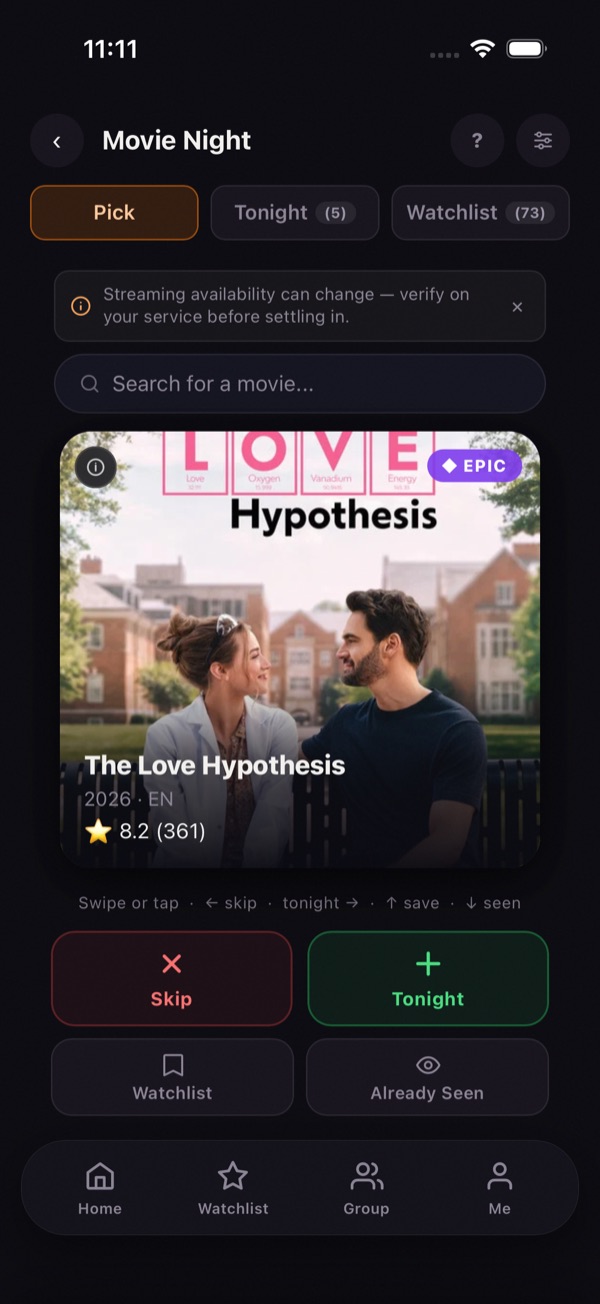
Right for maybe, left for nope, up to save for later. It takes a couple of minutes.
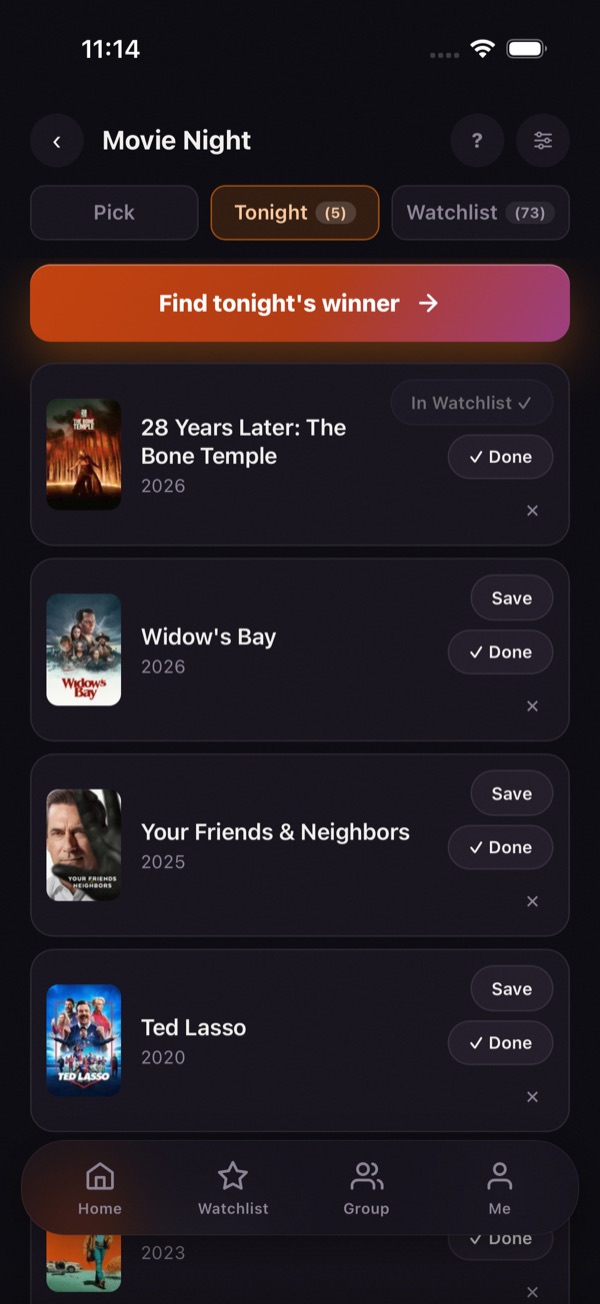
Your maybes go head to head until one is left. Then hit play.
Watching with someone? Tap Group, create a session and share the code, then swipe on your own phones. narro tells you when you both said yes.
The beta
narro is almost ready for the App Store. Before it gets there, we want it tried on real movie nights by real people.
Use it on 2 or 3 movie nights over the next couple of weeks.
Tell us what’s confusing, broken or missing. Short notes are perfect.
That’s it. It’s free, and you can delete it anytime.
We’ll email your invite within a day or two.
On your iPhone: get TestFlight first, then tap the button below.
1. Get TestFlight (free) 2. Join the narro betaWhile you wait, you can install TestFlight, the free Apple app your invite opens in.
Getting it on your phone
You opened this inside another app. For the invite link to work, tap ••• (or the share icon) and choose Open in Safari.
narro is iPhone only for now. Open this page on your iPhone to install it. You can still sign up here and we’ll tell you when that changes.
TestFlight is Apple’s own free app for trying apps before they’re in the App Store.
Get TestFlightOn your iPhone, tap the link in your invite, then tap Accept and Install.
Join the narro betaTap Continue without account to jump right in. You can make an account later.
Feedback
Anything confusing, broken, or missing. A few words is plenty. Pick whichever is easiest:
Tap Me in narro’s bottom bar, then Send feedback. It opens an email you can just type into.
Questions
It’s Apple’s own app for testing apps before they launch. It’s free and safe, and it’s how most iPhone apps get tested before they reach the App Store.
No. The beta is free.
No. Tap Continue without account. If you want your lists on more than one phone, you can sign in with Apple, Google or email later.
Not yet, sorry. narro is iPhone only for now. Sign up anyway and we’ll let you know when that changes.
Test versions only last 90 days. Open TestFlight and tap Update next to narro.
Delete narro like any other app. If you made an account, delete it first in Me → Delete account.
We use your email to send your invite and a few beta updates. That’s it. See the privacy policy.